¶ TrapEdge
The TrapEdge device is based on the RangerEdge, with the difference that it has a external reed switch connected. Most information for the RangerEdge is applicable.
¶ TrapEdge settings
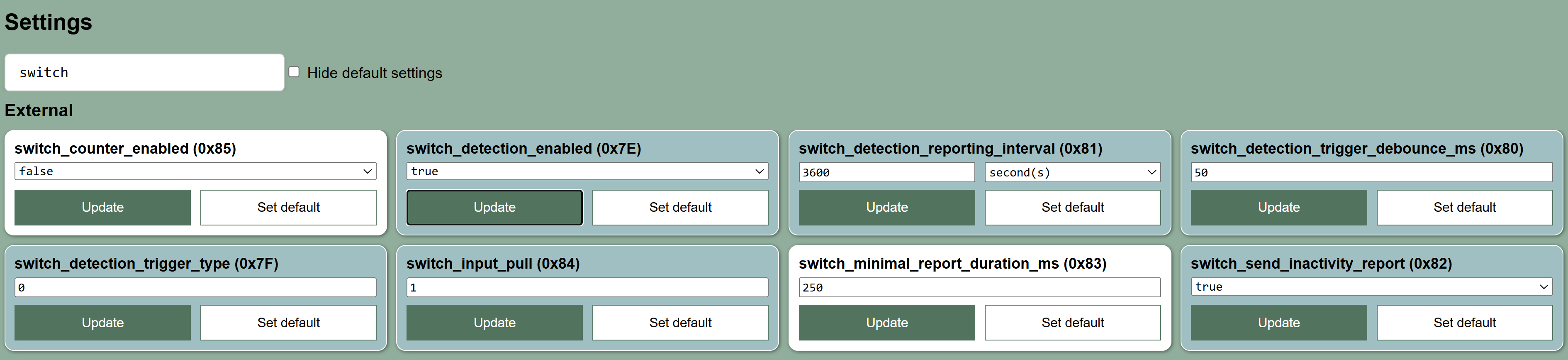
To use the RangerEdge with the TrapEdge reed switch, the EXTERNAL SWITCH settings need to be enabled in the following way:
We are using the EXTERNAL SWITCH settings to control how the device is responding to the REED switch if attached. The SWITCH feature is described also in the specific features sections.
Settings to ensure the TrapEdge reports a state change with Activity detected value to TRUE on port 19 whenever the magnet is removed from the REED switch AND a switch status message on port 20 every hour:
external_switch_detection_enabled=TRUEexternal_switch_detection_trigger_type=0(This is used for our default Normally Closer REED switch attached)external_switch_detection_trigger_debounce_ms=50 msexternal_switch_detection_reporting_interval=3600 seconds=1 hourexternal_switch_send_inactivity_report=TRUEexternal_switch_minimal_report_duration_ms=250 msexternal_switch_input_pull=1(PULL UP)external_switch_counter_enabled=FALSE
¶ Location reporting of the TrapEdge:
We currently see 3 different useful ways of reporting the location of the TrapEdge:
- Manual location set
- Motion triggered
- Regular updates
¶ Manual location set
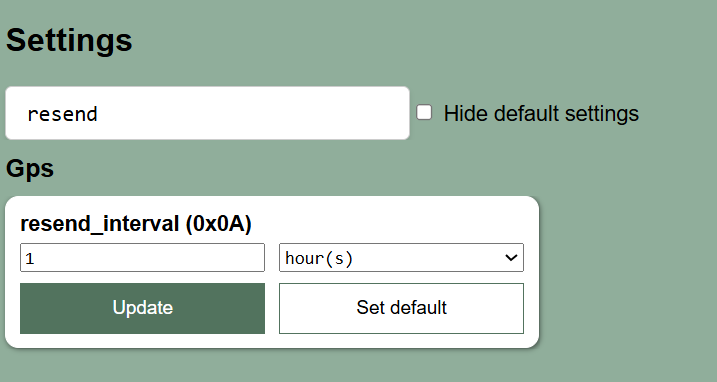
Use the resend last known GPS position feature and use the Smart Parks Connect App to Initialize location and time at the spot where the TrapEdge is placed. This will resend the last set position every set interval (for example every 1 hour) on port 16, until a new position is set. This position is not automatically updated when the device is moved as it is not using the onboard GPS. This options is nice, as it uses a minimum of power and is controlled by the user setting the TrapEdge. It is also possible to remotely ask the device to perform a fresh GPS fix to update it's position, but this can create confusion.
¶ Motion triggered
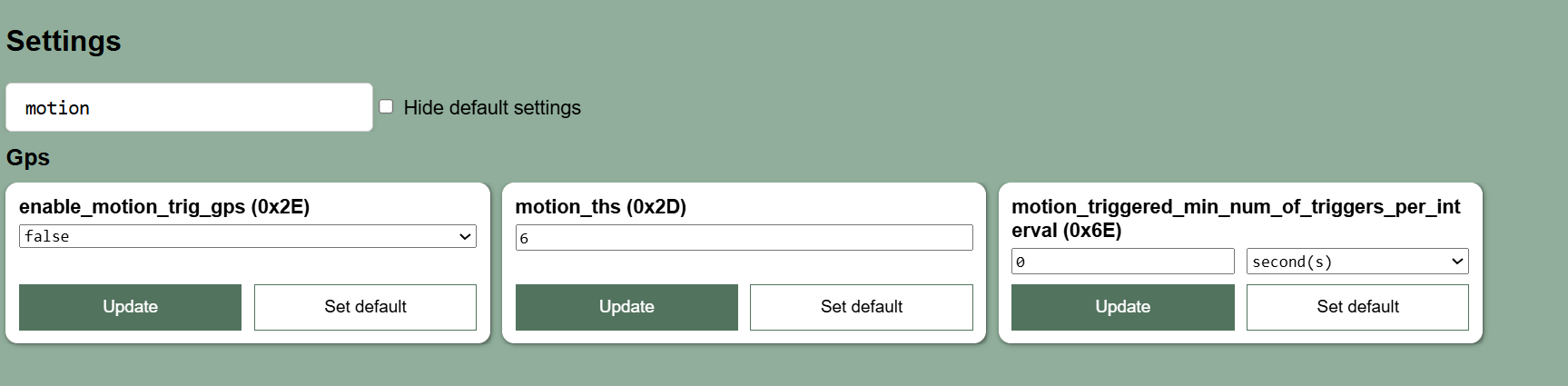
If you want to use the Ublox GPS to report the location of the TrapEdge, we need to ensure this is done in a way that makes sense for a device that is generally on a fixed location. But if for other reasons you want the device to report its location, we recommend to use the trigger GPS on motion feature:
¶ Regular updates
If you want to be sure you get regular updates on the TrapEdge location from the onboard Ublox GPS, you could unsure the device performs a fix every 12 hours for example. Make sure the horizontal accuracy is increased to 25 meter and the hot fix settings are changed. Settings then should be:
ublox_send_interval (0x02)=12 hourshot_fix_retry (0x15)=1hot_fix_timeout (0x17)=90 secondshorizontal_accuracy (0x13)=25 meters
In any case, make sure to disable the send flag (send_flag (0x0C)) for
port 2 (ublox_gps)and leave the send flag forport 13 (ublox_short_message)enabled. Do the opposite for the flash storage flag (store_flag (0x0D)).