¶ Willfine T4.0-CG
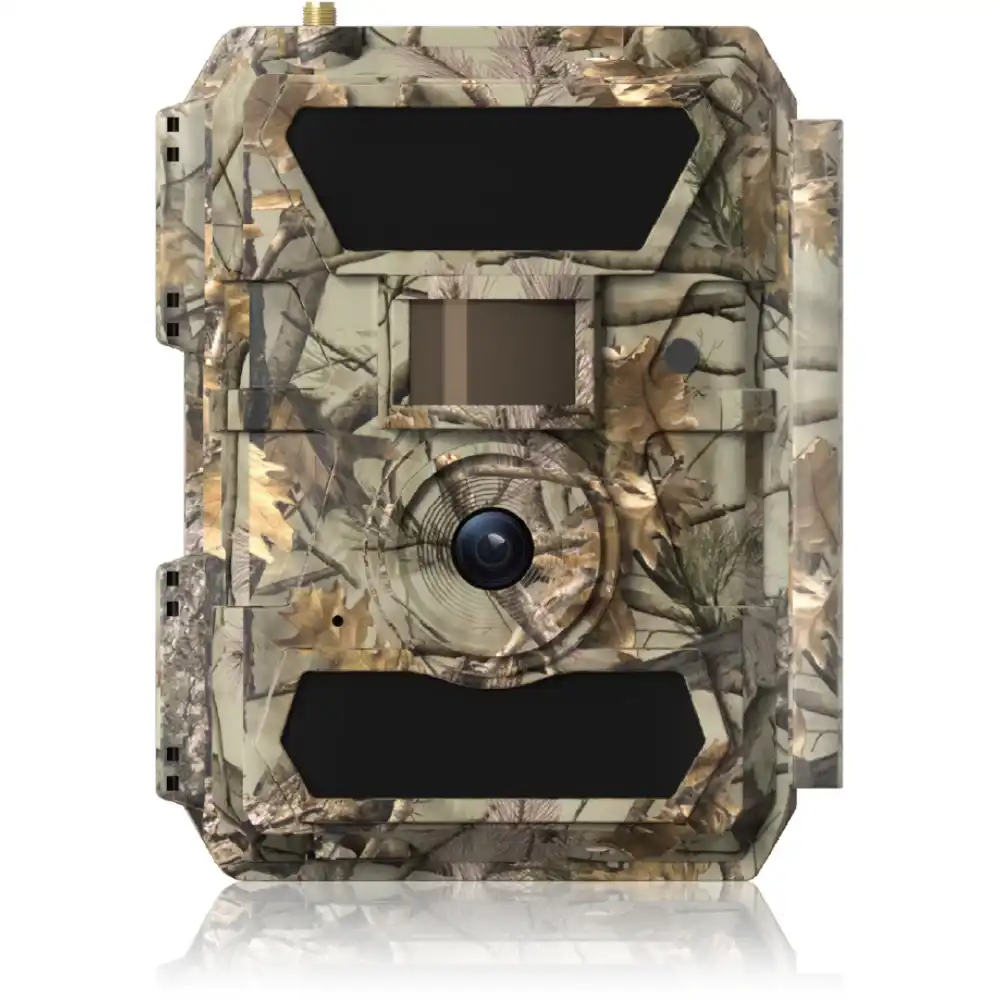
The upgraded T4.0-CG Trail Camera offers 32MP clarity, 1080P video, enhanced SMTP/SMTPS/FTP/FTPS transmission with antenna, and rugged IP66 durability, powered by 12 AA batteries for reliable outdoor performance.
¶ Specifications:
- IR Range: 65ft (20m)
- IR LEDs Setting: 59pcs
- Memory: SD Card up to 128GB
- Lens DFOV: 60° or 100°
- Lens F No.: F2.0 or F2.4
- PIR Sensitivity: L1 to L9
- PIR Distance: 65ft (20m)
- Picture Size: 5MP / 8MP / 12MP / 24MP / 32MP
- Video Resolution: FHD 1080P
- Multi-shot: 1P, 2P, 3P, 4P, 5P
- Camera + Video: Yes
- Time Lapse/Timer: Yes
- SD Card Cycle: ON / OFF
- Power Supply: DC 12V-2A Adapter or 12 AA Batteries
- Waterproof Class: IP66
- Certification: CE, FCC, RoHS
- Wireless Module: LTE Cat1; European/American Version
- GPS: Yes
¶ Firmware
To ensure the image are processed efficiently by the AddaxAI Connect system, we need to ensure that the EXIF data for each image holds the correct information. Therefore we are using a “custom” firmware image, that can be loaded into the camera. This section will provide instructions on how to load this firmware and where to get the correct firmware if needed.
Please contact the AddaxAI Connect team for the correct firmware file.
¶ How to upgrade the firmware
- Prepare an SD card with a storage capacity of no more than 32G and format it as FAT32.
- Place the entire upgrade file compression package "<firmware_name>.zip" in the root directory of the SD card (no need to decompress it).
- Insert the SD card into the camera. Make sure the camera is connected to a DC power supply or enough AA battery supply.
- Switch to the "Setup" mode. Press the MENU key to enter the menu, and then select "Other - Firmware Update - Software" and click OK to confirm the upgrade process.
- After the camera enters the upgrade process, it will automatically restart once. During the upgrade process, the page prompts "Please wait.." and displays the upgrade progress. After the upgrade is completed, the camera automatically restarts and enters the Setup mode. The entire upgrade process lasts approximately 3 minutes;
- After the upgrade is completed, press the MENU key to enter the menu, then enter the "Other-About" interface and right-click for 10 seconds to view the hidden version number of the camera. If it is the target version, it indicates that the upgrade was successful.
- If using the above steps does not enter the SD card software upgrade mode, please check the upgrade file or replace the SD card and try again.
¶ Settings
To ensure the camera can connect to the AddaxAI Connect system, we need to configure the camera with the correct settings. This section is will only provide minimum instruction. The settings can all we configured manually using the camera buttons and screen. However, we advise to use the process of loading a pre-generated settings file onto the camera using the SD-card.
¶ Connectivity settings
We are using a 4G connection for connecting the camera to the Internet. Next, we are using the FTPS service for uploading images to the deployment specific AddaxAI Connect server.
Please ask the AddaxAI Connect team for the relevant settings.
¶ Generating settings file
- Open the tool: PC_Tools.exe.
- Choose the correct camera model, in this case 4.0T-CG.
- Enter the correct settings.
- Export the settings file.
¶ Loading settings into the camera
- Format the SD-card using the camera.
- Put the setting file (filename.cfg) on the SD-card.
- Insert the the SD-card into the camera.
- Toggle the camera into SETUP mode.
- The settings will automatically be loaded into the camera.
- If needed check the settings using the camera menu.
TIP: if you do not have camera specific settings (like camera name), you can use the same settings file for multiple cameras.
¶ Accessories
- Security box
- Solar charger
- Lock - for example: Masterlock Adjustable cable 1.80m x Ø 8mm - braided steel - 2 keys - 8418EURD
¶ Note
This camera has a rather long “re-trigger delay", compared to cameras that do not have cellular connectivity. This could be an issue in some specific research settings, but is generally not an issue for most wildlife monitoring projects. We advice to test the camera in a real field situation before scaling up the project with more cameras. We do not see this as a low quality aspect of the camera, but more the downside of having a connected camera that is very low power and reliable for long term deployments.